
How Bastion works
How we test, fix and retest, within limits you control
01
What a test looks like
Follow each step in GitHub

Install Bastion
on your organization acme
Repository access
Bastion will be able to
- Read code and metadata
- Read and write pull requests
- Read and write checks
02
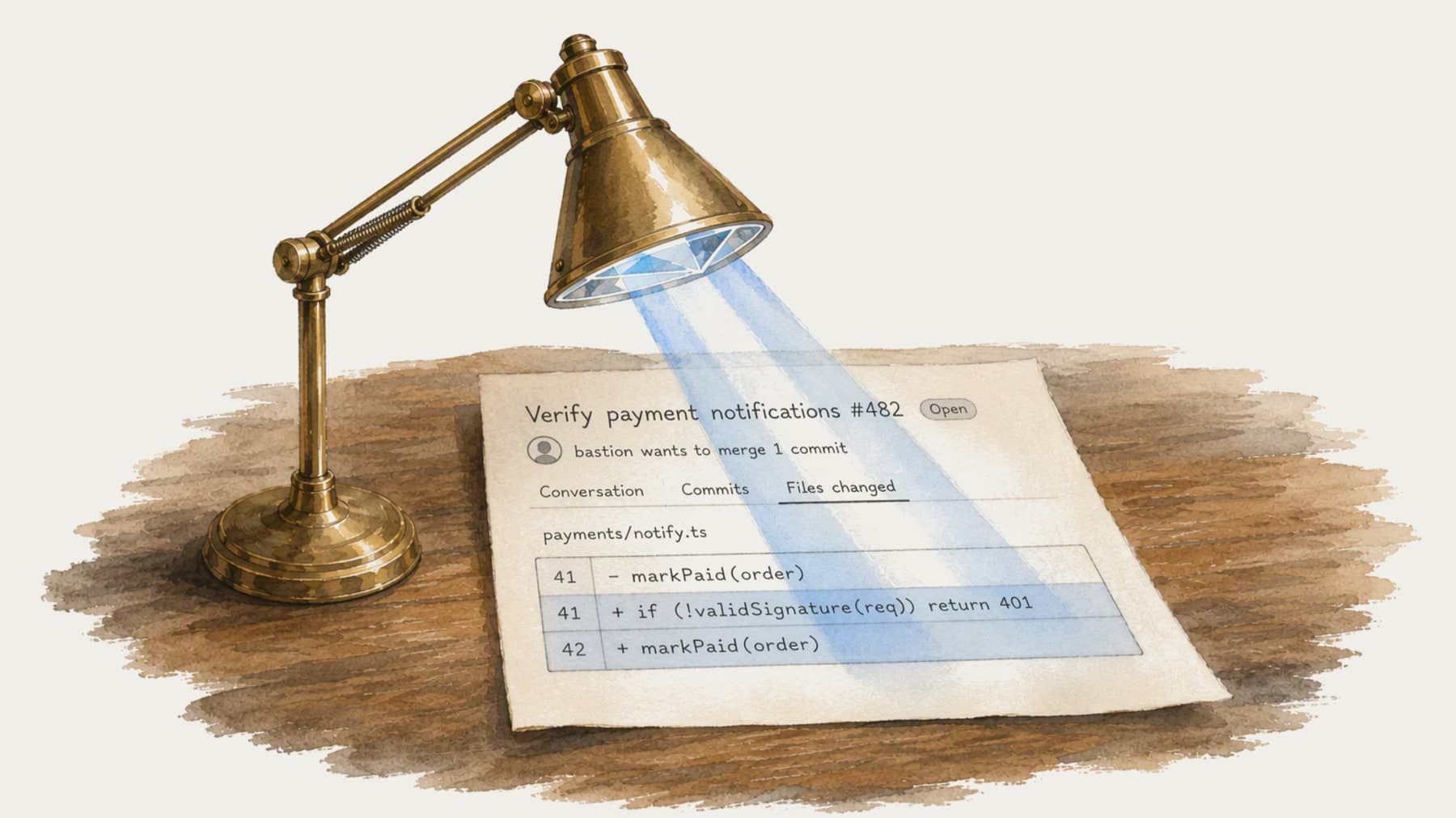
Fixes arrive as pull requests
Each one comes from an attack that worked
Add the GitHub app
The pentest lands an attack
Orders marked paid without a real payment
Confirmed by sending a payment notice with the signature removed
The fix opens from that result
Verify payment notifications
Opened by Bastion from the pentest result
03
Then we attack again
POST /payments/notify
order: 1042
status: paid
signature: a1f9…
POST /payments/notify
order: 1042
status: paid
signature: (none)
POST /payments/notify
order: 1042
status: paid
signature: (none)
- signature: ""401
- signature: null401
- signature: %00401
- signature: =401
- signature ×2401
04·CVE-2026-61663 found, disclosed and fixed upstream·more write-ups
06
Ground rules
Scope
We verify everything in scope is yours and test nothing outside it
Test accounts
Tests run from accounts we create ourselves
Your data
We prove access without deleting anything
Unproven steps
Anything we cannot prove safely is marked unverified